
How to Export a Map Animation as GIF, MP4 or WebP in Python
On this page
Problem statement
A finished map animation is a stack of frames, and the format that carries it decides how big the file is, what it looks like and where it plays. GIF plays everywhere but is limited to 256 colours. MP4 and WebM are small but lossy, and they need a <video> element. Animated WebP can be lossless or lossy. The right choice depends on what the frames look like, and the only reliable way to choose is to write the same frames in every format and measure the size and the damage.
This page does that for 47 Septembers of Arctic sea ice, rendered twice: once with smooth shading and once with four flat colour classes.
Quick answer
Write the same frames with each writer and compare file sizes (the writers are defined in the setup below):
sizes = {}
for style, frames in FRAMES.items():
    for fmt, write in WRITERS.items():
        path = Path(f"data/out/{style}.{fmt}")
        write(path, frames)
        sizes[style, fmt] = path.stat().st_size / 1e6
print(pd.Series(sizes).unstack().round(2).to_string())
gif mp4 webm webp-lossless webp-q80
classed 0.29 0.37 0.25 0.13 0.63
continuous 1.59 0.21 0.12 1.68 0.49
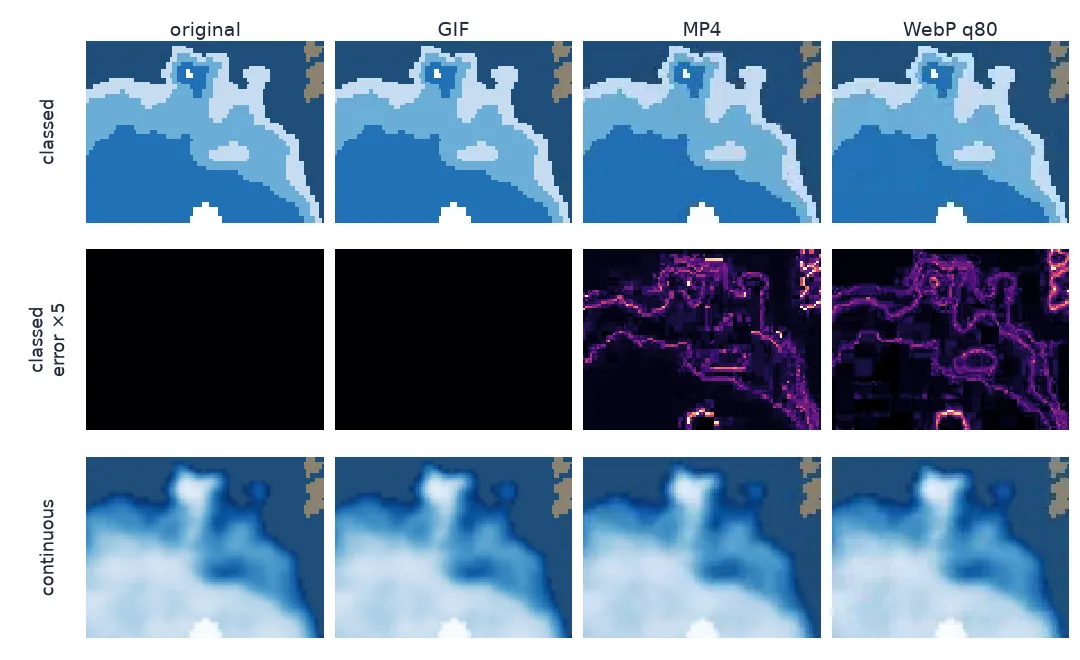
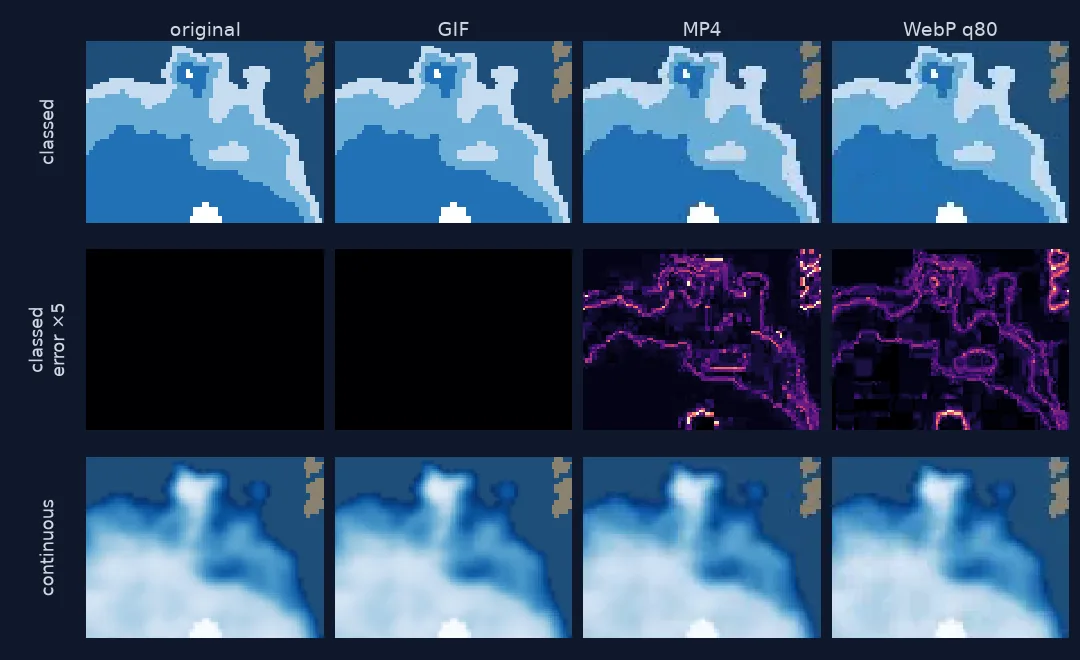
Render once, write each format, measure losses and timing
1. Render frames once, as arrays
Render each frame to a NumPy array once, then hand the same arrays to every writer. Count the colours, because that number predicts how GIF will do:
for style, frames in FRAMES.items():
    a = np.stack(frames)
    print(f"{style:10s}: {a.shape[0]} frames {a.shape[2]}x{a.shape[1]} px, {len(np.unique(a.reshape(-1, 3), axis=0)):,} distinct colours")
continuous: 47 frames 400x450 px, 32,426 distinct colours
classed : 47 frames 400x450 px, 351 distinct colours
2. Write each format
GIF and WebP go through Pillow (save_all=True with append_images); MP4 and WebM go through FFmpeg via imageio. Video codecs work on blocks, and the usual yuv420p pixel format needs even dimensions. imageio's default macro_block_size=16 quietly resizes anything else:
odd = [f[:-1, :-1] for f in FRAMES["classed"][:5]]                 # 449 x 399 px
for mbs in (16, 2):
    with imageio.get_writer(f"data/out/odd{mbs}.mp4", format="FFMPEG", fps=4, codec="libx264", macro_block_size=mbs) as w:
        for f in odd:
            w.append_data(f)
    print(f"macro_block_size={mbs:>2}: wrote {odd[0].shape[:2]}, read back {read_back(Path(f'data/out/odd{mbs}.mp4'))[0].shape[:2]}")
macro_block_size=16: wrote (449, 399), read back (464, 400)
macro_block_size= 2: wrote (449, 399), read back (450, 400)
3. Measure what each format lost
File size is half the comparison. Decode every file back to arrays and compare each frame with the original. Peak signal-to-noise ratio (PSNR) is a standard measure: infinite for an exact copy, above about 40 dB hard to see, around 30 dB visible on close inspection. Take the worst frame, not the average:
def psnr(a, b):
    mse = np.mean((a.astype(float) - b.astype(float)) ** 2)
    return np.inf if mse == 0 else 10 * np.log10(255 ** 2 / mse)

rows = []
for style, frames in FRAMES.items():
    for fmt in WRITERS:
        back = read_back(Path(f"data/out/{style}.{fmt}"))
        rows.append({"style": style, "format": fmt, "frames back": len(back),
                     "PSNR dB": min(psnr(a, b) for a, b in zip(frames, back))})
q = pd.DataFrame(rows).pivot(index="format", columns="style", values="PSNR dB")
print(q.round(1).replace(np.inf, "lossless").to_string())
print("frames read back:", sorted({r["frames back"] for r in rows}))
style classed continuous
format
gif 80.3 47.3
mp4 31.5 33.2
webm 31.0 32.4
webp-lossless lossless lossless
webp-q80 31.6 33.0
frames read back: [47]
4. Check the timing survived
GIF stores each frame's delay in hundredths of a second, so a delay is rounded to 10 ms:
from PIL import Image
for ms in (15, 40, 125, 333):
    Image.fromarray(FRAMES["classed"][0]).save("data/out/t.gif", save_all=True,
        append_images=[Image.fromarray(f) for f in FRAMES["classed"][1:3]], duration=ms, loop=0)
    back = [f.info["duration"] for f in ImageSequence.Iterator(Image.open("data/out/t.gif"))]
    print(f"asked {ms:>3} ms per frame -> stored {back[0]} ms")
asked 15 ms per frame -> stored 10 ms
asked 40 ms per frame -> stored 40 ms
asked 125 ms per frame -> stored 120 ms
asked 333 ms per frame -> stored 330 ms
A page that plays every format
The data used on this page
NSIDC Sea Ice Index v4 September concentration grids, 1979–2025, rendered in two styles.
import io
import subprocess
from pathlib import Path

import imageio
import imageio.v3 as iio
import matplotlib
matplotlib.use("Agg")
import matplotlib.pyplot as plt
import numpy as np
import pandas as pd
import rasterio
import requests
from matplotlib.colors import BoundaryNorm, ListedColormap
from PIL import Image, ImageSequence

BASE = "https://noaadata.apps.nsidc.org/NOAA/G02135/north/monthly/geotiff/09_Sep"
D = Path("data/seaice"); D.mkdir(parents=True, exist_ok=True); Path("data/out").mkdir(exist_ok=True)
YEARS = range(1979, 2026)


def read(y):
    f = D / f"N_{y}09_concentration_v4.0.tif"
    if not f.exists():
        f.write_bytes(requests.get(f"{BASE}/{f.name}", timeout=120).content)
    return rasterio.open(f).read(1)


STYLES = {"continuous": (plt.get_cmap("Blues_r"), None),
          "classed": (ListedColormap(["#c6dbef", "#6baed6", "#2171b5", "#ffffff"]), BoundaryNorm([15, 40, 70, 90, 101], 4))}


def render(a, style, year):
    cmap, norm = STYLES[style]
    c = np.where((a >= 150) & (a <= 1000), a / 10, np.where(a == 2510, 100.0, np.nan))
    fig = plt.figure(figsize=(4, 4.5), dpi=100)
    ax = fig.add_axes([0, 0, 1, 1]); ax.set_axis_off()
    ax.imshow(np.where(a >= 2530, 1.0, np.nan), cmap=ListedColormap(["#8a8170"]), interpolation="nearest")
    ax.imshow(np.where(a <= 1000, 1.0, np.nan), cmap=ListedColormap(["#1f4e79"]), interpolation="nearest")
    smooth = "bilinear" if style == "continuous" else "nearest"
    ax.imshow(c, cmap=cmap, norm=norm, vmin=None if norm else 15, vmax=None if norm else 100, interpolation=smooth)
    ax.text(0.04, 0.95, f"September {year}", transform=ax.transAxes, color="white", fontsize=14, va="top")
    ax.set_xlim(40, 264); ax.set_ylim(380, 128)
    fig.canvas.draw(); im = np.asarray(fig.canvas.buffer_rgba())[..., :3].copy(); plt.close(fig)
    return im


grids = [read(y) for y in YEARS]
FRAMES = {s: [render(a, s, y) for a, y in zip(grids, YEARS)] for s in STYLES}
MS = 250


def gif(path, frames):
    Image.fromarray(frames[0]).save(path, save_all=True, append_images=[Image.fromarray(f) for f in frames[1:]],
                                    duration=MS, loop=0, optimize=True)


def webp(path, frames, lossless):
    Image.fromarray(frames[0]).save(path, save_all=True, append_images=[Image.fromarray(f) for f in frames[1:]],
                                    duration=MS, loop=0, lossless=lossless, quality=80, method=6)


def video(path, frames, codec, extra):
    with imageio.get_writer(path, format="FFMPEG", fps=1000 / MS, codec=codec, quality=None, pixelformat="yuv420p",
                            output_params=extra, macro_block_size=2) as w:
        for f in frames:
            w.append_data(f)


WRITERS = {
    "gif": gif,
    "webp-lossless": lambda p, f: webp(p.with_suffix(".webp"), f, True) or p.with_suffix(".webp").rename(p),
    "webp-q80": lambda p, f: webp(p.with_suffix(".webp"), f, False) or p.with_suffix(".webp").rename(p),
    "mp4": lambda p, f: video(p, f, "libx264", ["-crf", "23"]),
    "webm": lambda p, f: video(p, f, "libvpx-vp9", ["-crf", "32", "-b:v", "0"]),
}


def read_back(path):
    if path.suffix in (".mp4", ".webm"):
        with imageio.get_reader(path, format="FFMPEG") as r:
            return [f for f in r]
    return [np.asarray(f.convert("RGB")) for f in ImageSequence.Iterator(Image.open(path))]


print(f"{len(grids)} Septembers rendered in {len(STYLES)} styles")
47 Septembers rendered in 2 styles
Example 1: a page that plays each format
html = '''<img src="classed.webp" alt="Arctic sea ice each September, 1979-2025" width="400" height="450">
<video src="continuous.webm" autoplay muted loop playsinline width="400" height="450"></video>'''
Path("data/out/classed.webp").write_bytes(Path("data/out/classed.webp-lossless").read_bytes())   # continuous.webm is already there
Path("data/out/index.html").write_text(html)
print(html)
<img src="classed.webp" alt="Arctic sea ice each September, 1979-2025" width="400" height="450">
<video src="continuous.webm" autoplay muted loop playsinline width="400" height="450"></video>
Why classed and continuous maps rank formats differently
The two styles reverse the ranking. The classed frames have a few hundred colours, nearly all of them antialiasing around the year label. Lossless formats compress flat areas very well: lossless WebP stores all 47 frames exactly in 0.13 MB, and GIF is close behind and almost exact. Video codecs are built for photographs and blur the sharp class edges, so MP4 is larger and lossy here. The smooth frames have over 32,000 colours. GIF has to squeeze each frame into a 256-colour palette, which costs quality and a lot of bytes. WebM and MP4 shrink the same frames 8 to 13 times smaller than GIF, at a quality loss you have to look closely to see.
So decide by the frames, not by habit. Flat colours, thematic classes, outlines and text call for lossless WebP, with GIF where older tools must open the file. Satellite imagery, hillshades and smooth colour ramps call for WebM or MP4 in a <video> element, with the muted and playsinline attributes that mobile browsers require before they autoplay. Lossy WebP was never the best choice for these frames.
Short delays, chroma subsampling and social platforms
- Short delays: GIF delays under 20 ms are slowed down by most browsers, often to 100 ms; keep frames at 20 ms or more.
- Hold the last frame by passing a list of durations (
duration=[250] * 46 + [2000]) in Pillow, or by repeating the frame in a video. - Chroma subsampling (
yuv420p) halves colour resolution, which smears thin coloured lines; it is needed for browser playback. - Colour drift: a GIF palette is chosen per frame unless you fix one, so smooth ramps can shift between frames.
- Social platforms re-encode uploads; upload MP4 at good quality rather than a GIF.
- Accessibility: give
<video>controls or a pause button, and an<img>real alt text.
Internal links
- How to make a radar loop animation — where GIF won
- How to animate Arctic sea ice — the frames used here
FAQ
Should I export my map animation as GIF or MP4?
Measure both. Flat-colour thematic maps are usually smallest and sharpest as lossless WebP or GIF; imagery and smooth gradients are far smaller as MP4 or WebM.
How do I save an animated WebP in Python?
With Pillow: frames[0].save("out.webp", save_all=True, append_images=frames[1:], duration=250, loop=0, lossless=True).
Why did imageio resize my MP4 frames?
Its FFmpeg writer pads or resizes frames to a multiple of macro_block_size (16 by default). Pass macro_block_size=2 and use even frame sizes.
Why does my GIF play at the wrong speed?
GIF delays are stored in hundredths of a second, and browsers slow down very short delays; use 20 ms or more and multiples of 10 ms.